Flare Field Guide
One case, one timeline, and a wall down the middle. Everything the customer sees is marked customer sees. Everything else stays inside the building. This guide shows both doors, what happens behind each one, and exactly which words reach the customer.
Start hereTwo doors. Give the right one to the right person.
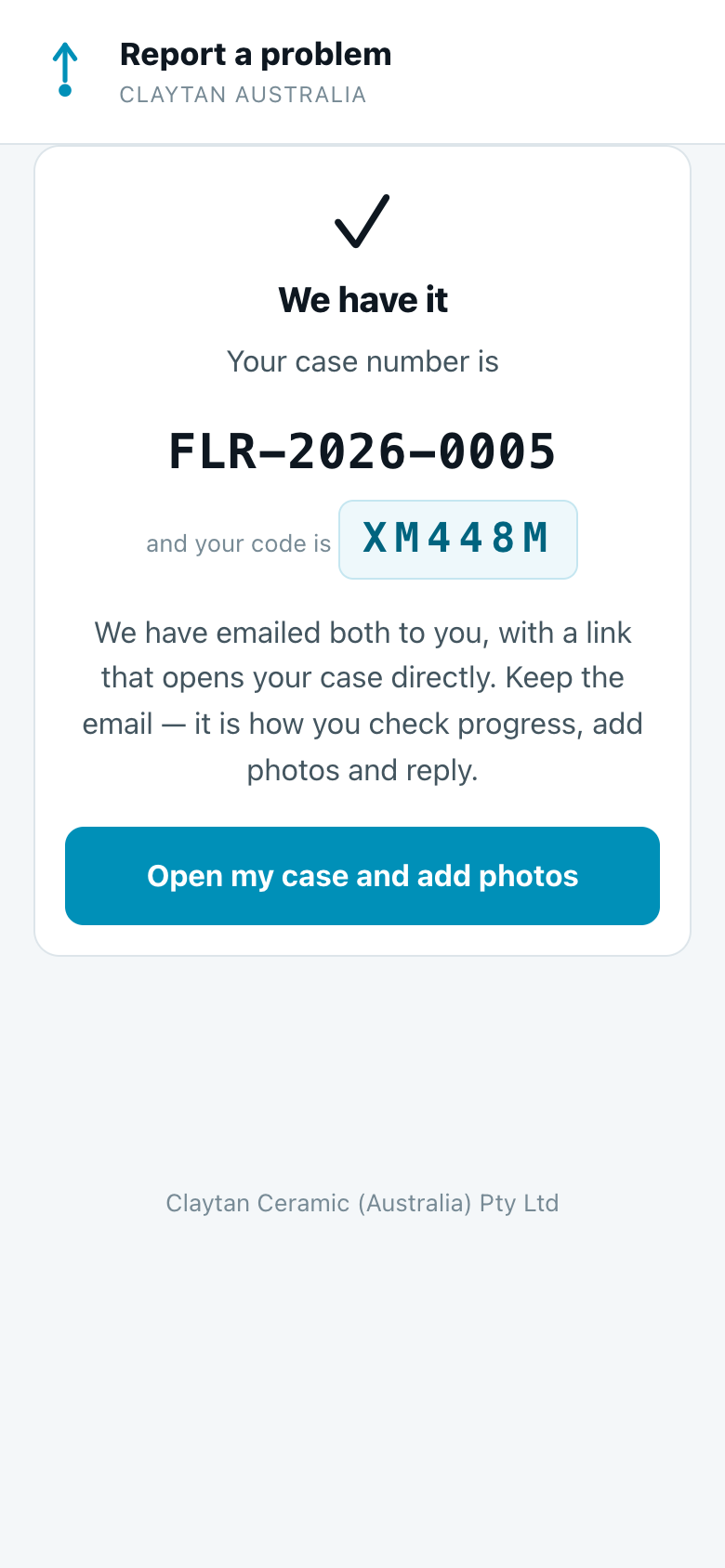
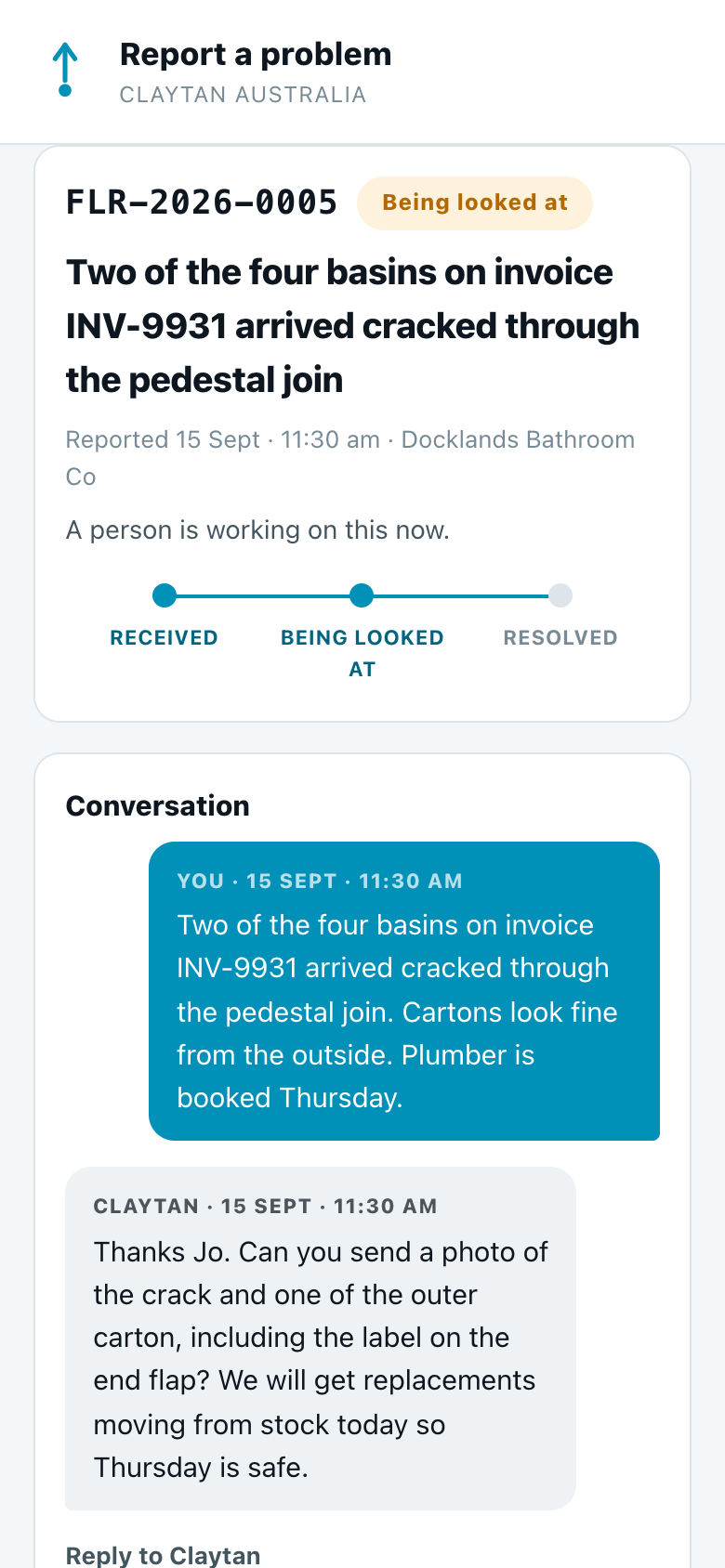
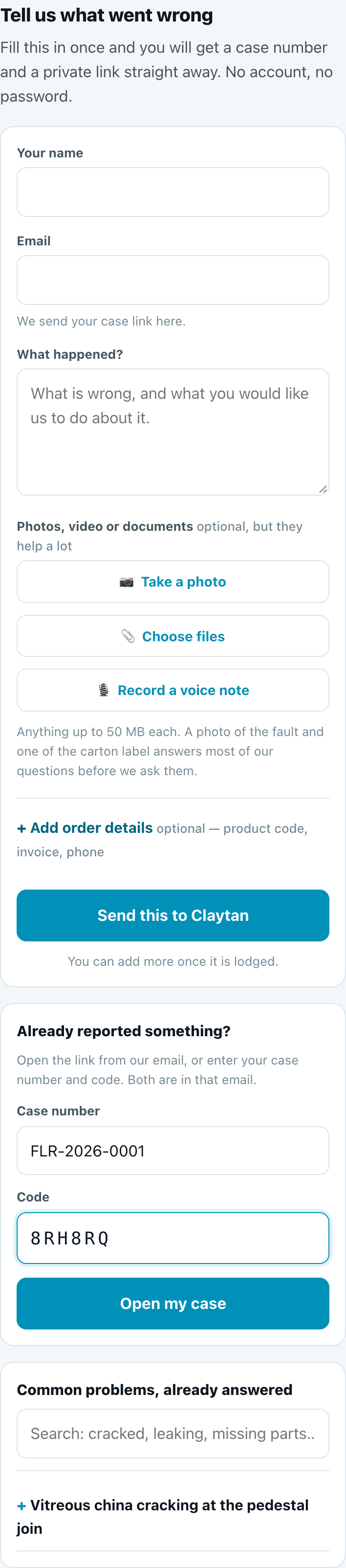
No account, no password. They fill in one form and get a case number and a private link by email. That link is how they check progress, add photos and reply.
- Print it on delivery dockets, put it in email signatures.
- Everything typed here is the customer's own words, in the customer's own case.
Sign in with your Claytan Google account. Anyone signed in can raise a complaint or suggestion and follow their own. Working the board needs Flare access, which CS grants.
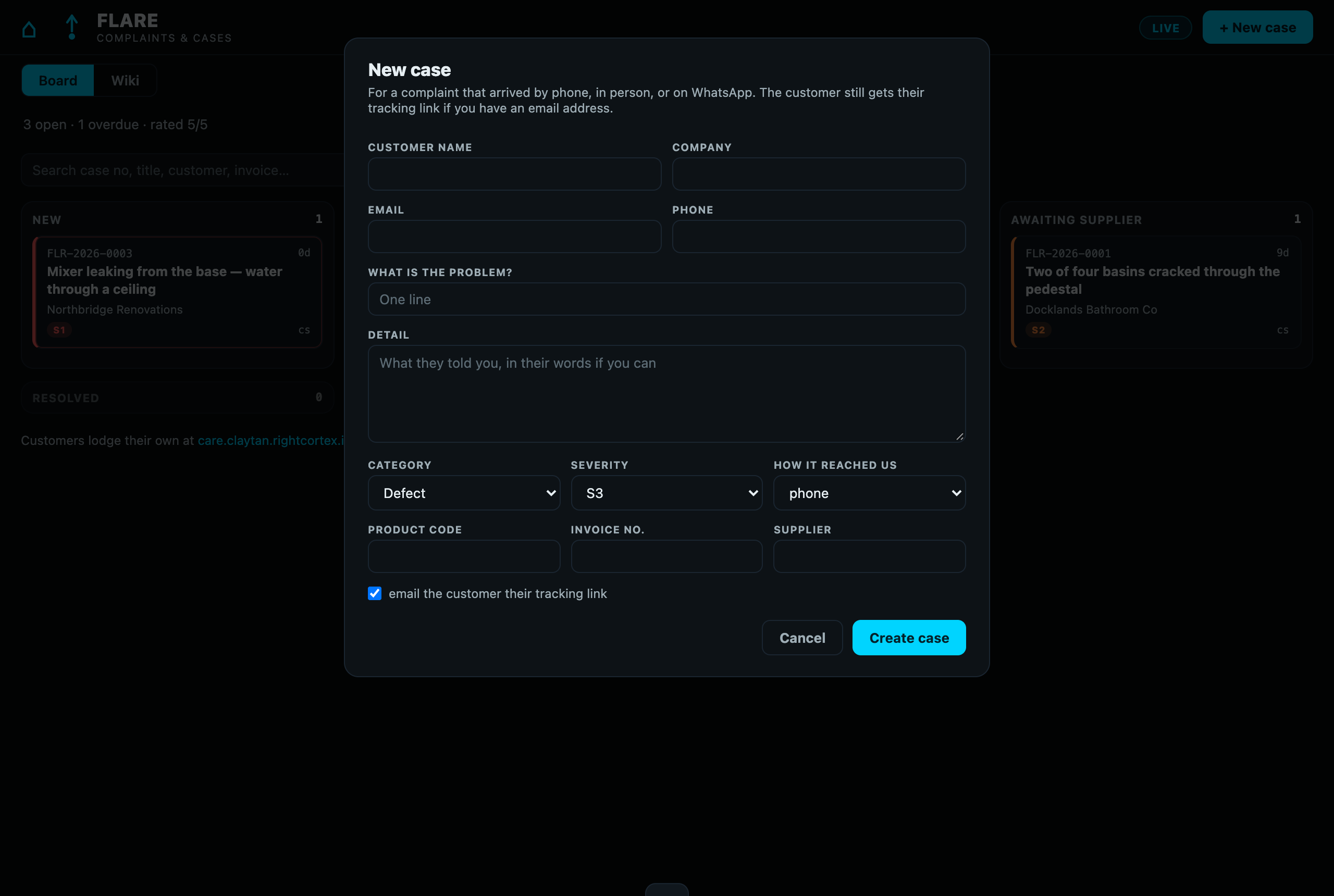
- A complaint that arrived by phone, WhatsApp or in person goes in through + New case here.
- Never through the customer form.
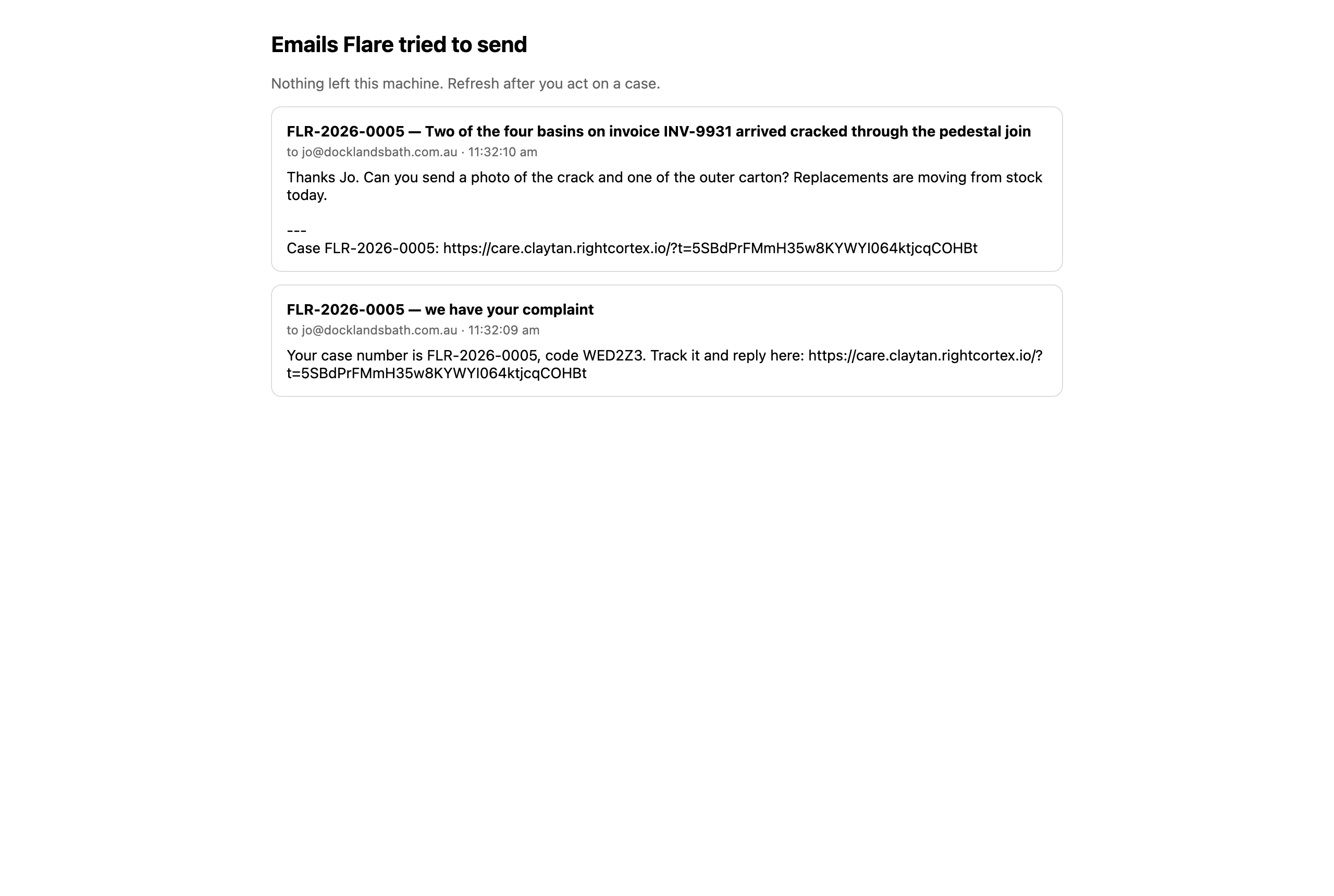
The customer form belongs to the customer. If a team member types a complaint there and enters the customer's email, three things happen at once: the customer is emailed "we have your complaint" with a private link, everything typed appears on their case page as their own words, and any photo attached is visible to them immediately. Use + New case on the board instead. It captures the same details, sends the tracking link only if you leave the box ticked, and lets you add private notes that the customer never sees.
Door oneFor customers: report it once, then follow the link
This is what a customer sees on their phone. Share this section with a customer who asks how it works.
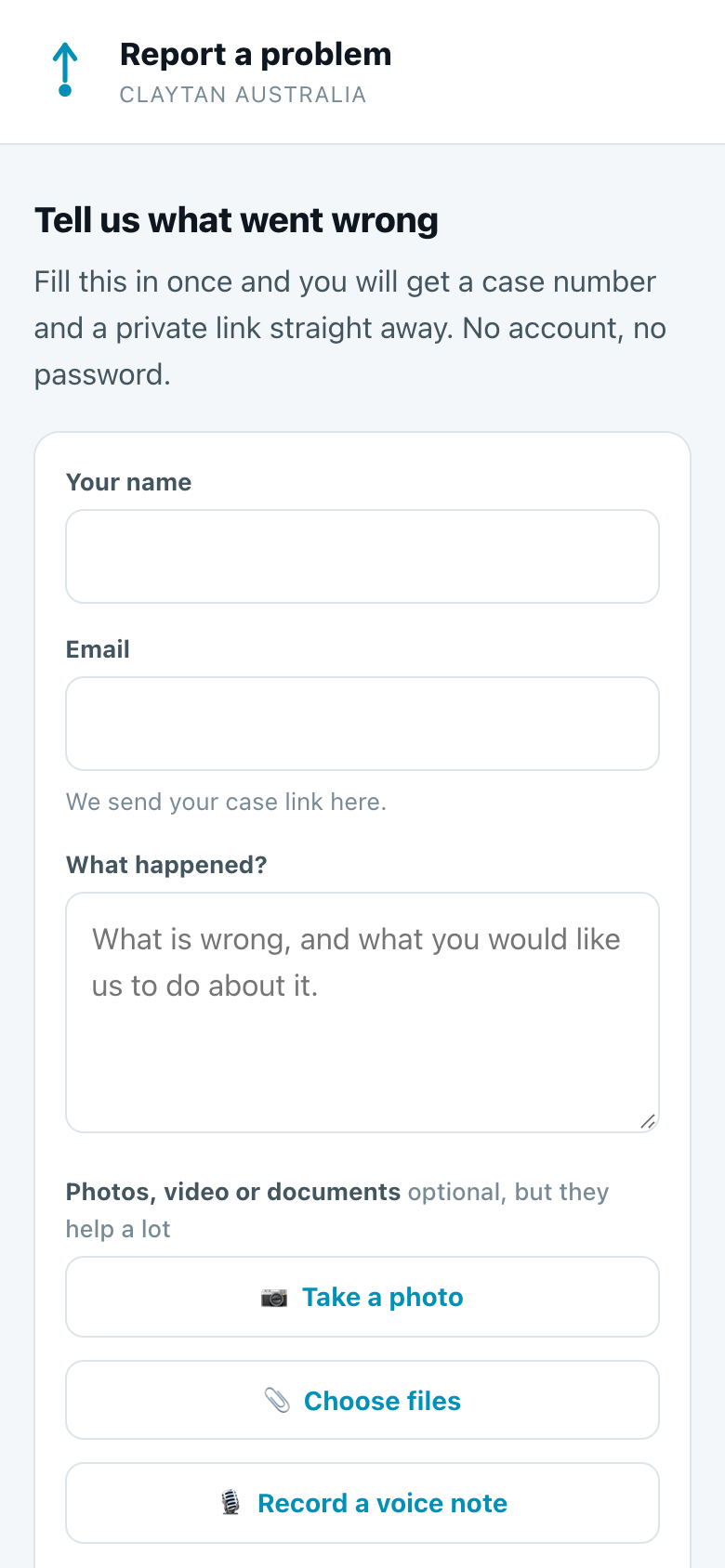

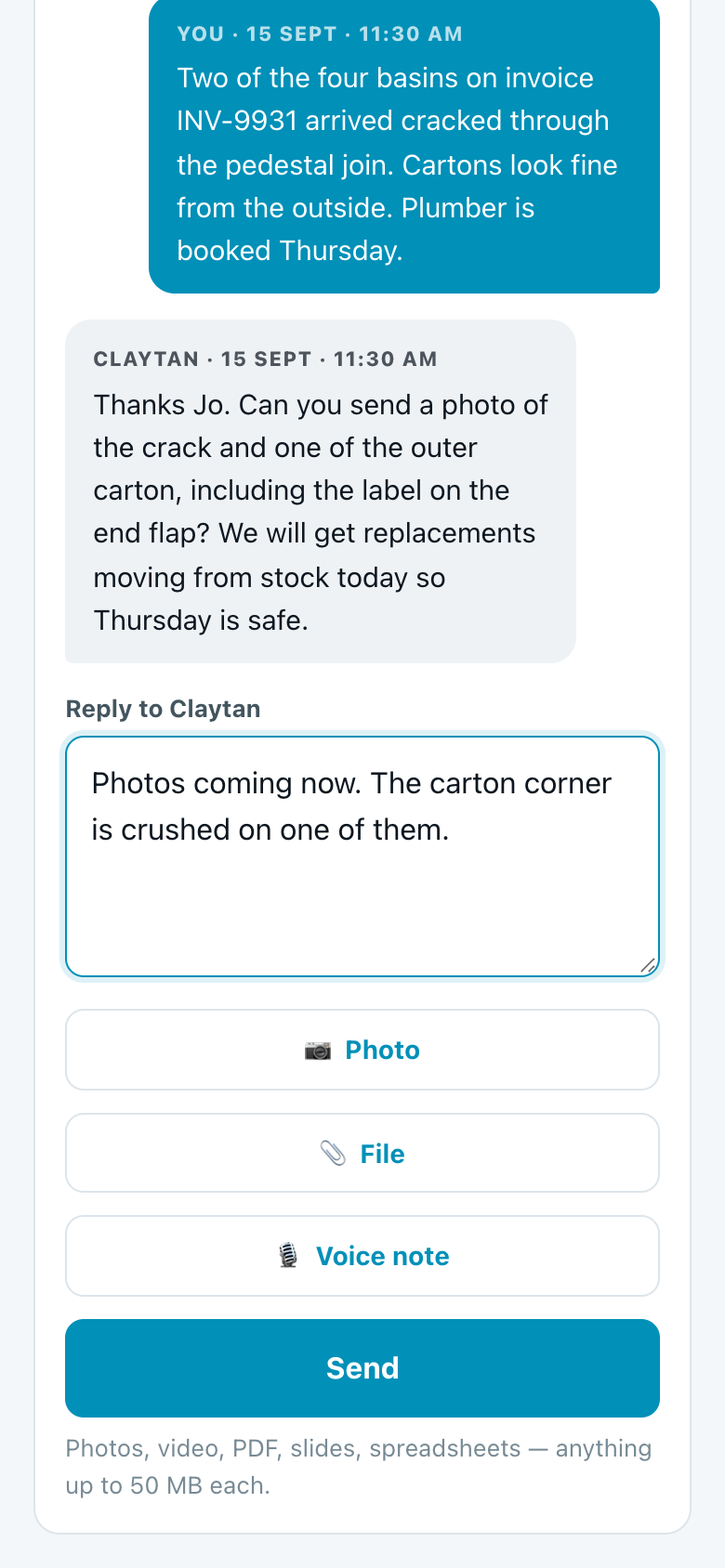
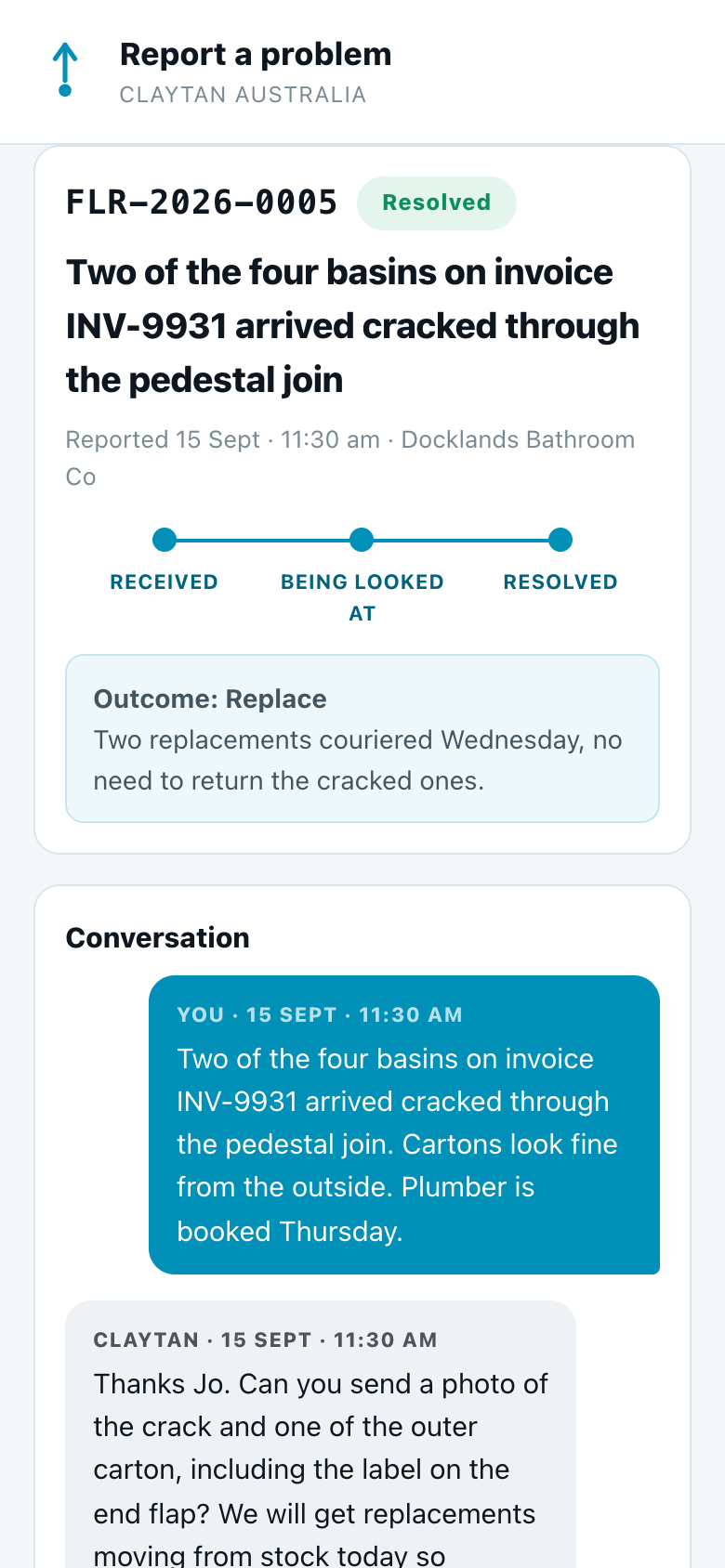
Lost the email? Case number plus code
The same form has an Already reported something? box. The case number and the six-character code are printed in every email we send, and both are on the case for staff to read out over the phone. A case number alone opens nothing. Five wrong codes lock the case for fifteen minutes.
Door twoFor the team: the board, the case, the composer
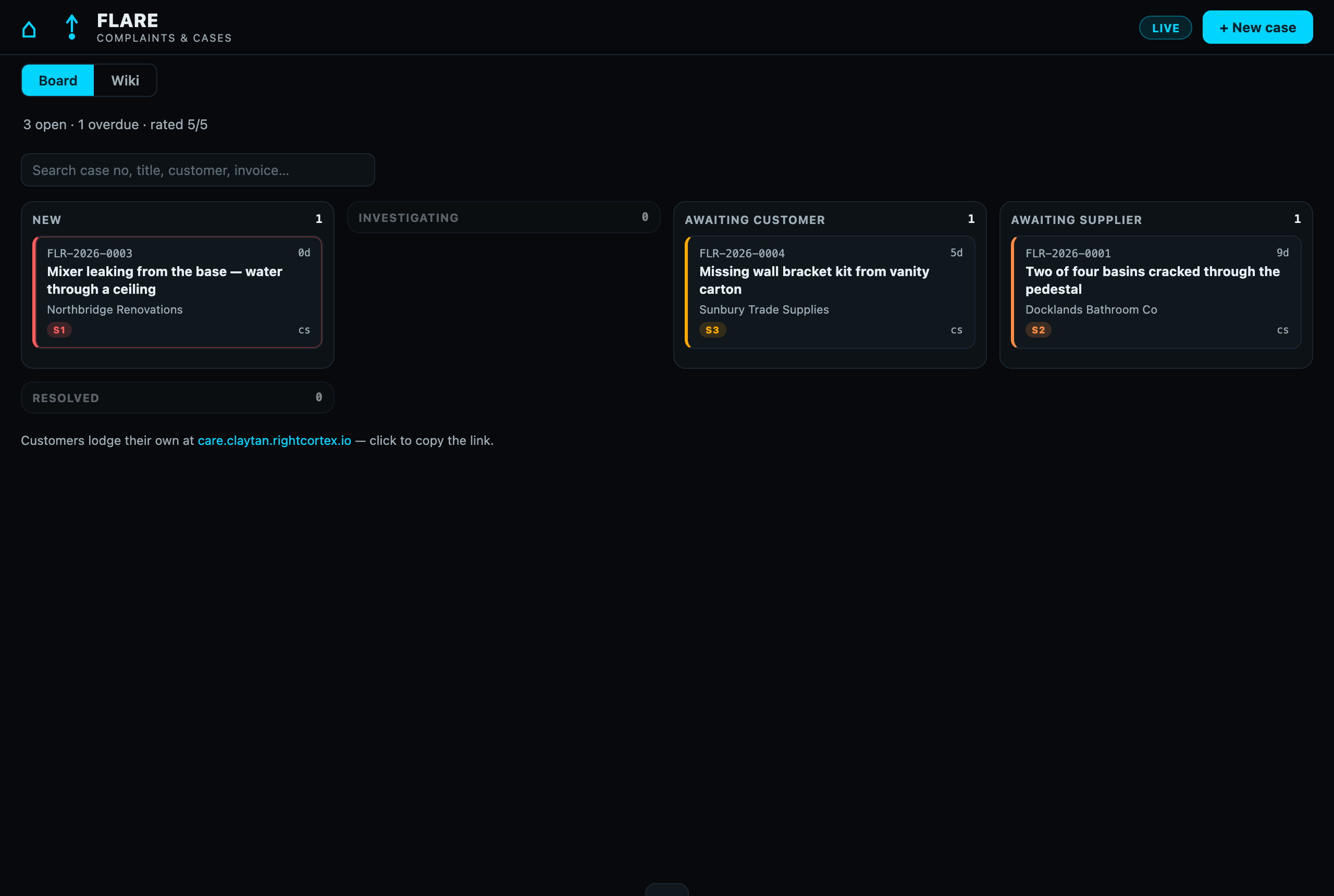
Sign in at ccau.rightcortex.io/flare. On a phone the same page works; drag-and-drop is desktop only, the status dropdown does the same job.
The board
Raising a case the customer told you about
Inside a case
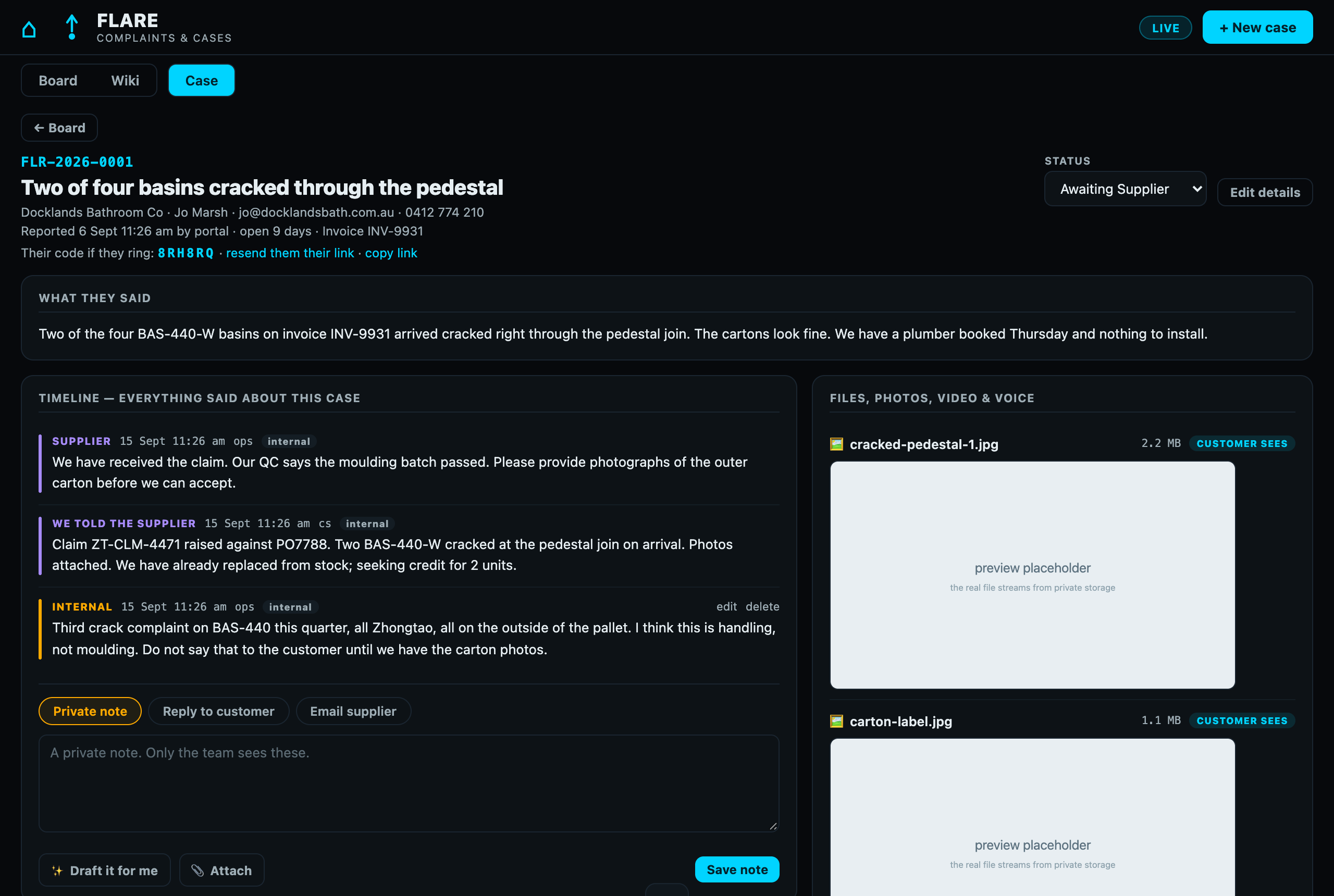
The timeline has three lanes. The colour tells you who can read it.
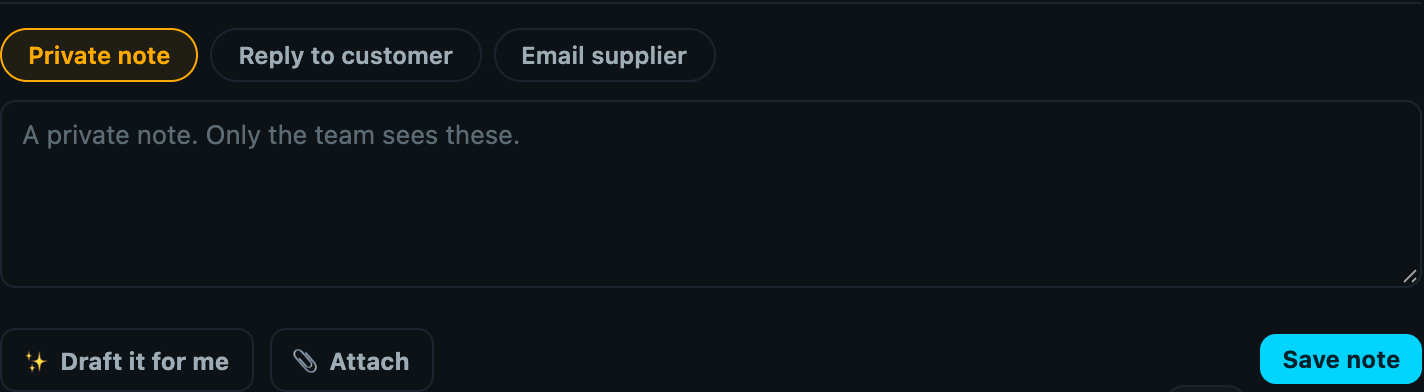
Private notes, the automatic triage note, status changes. The team only.
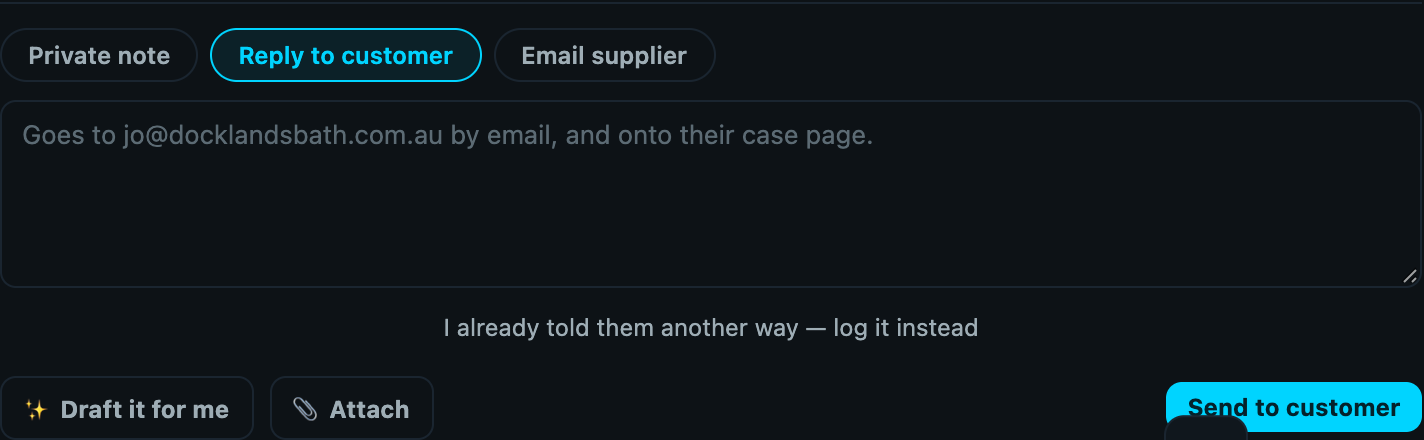
Private noteWhat they said, and what we said back. Sends by email and appears on their case page.
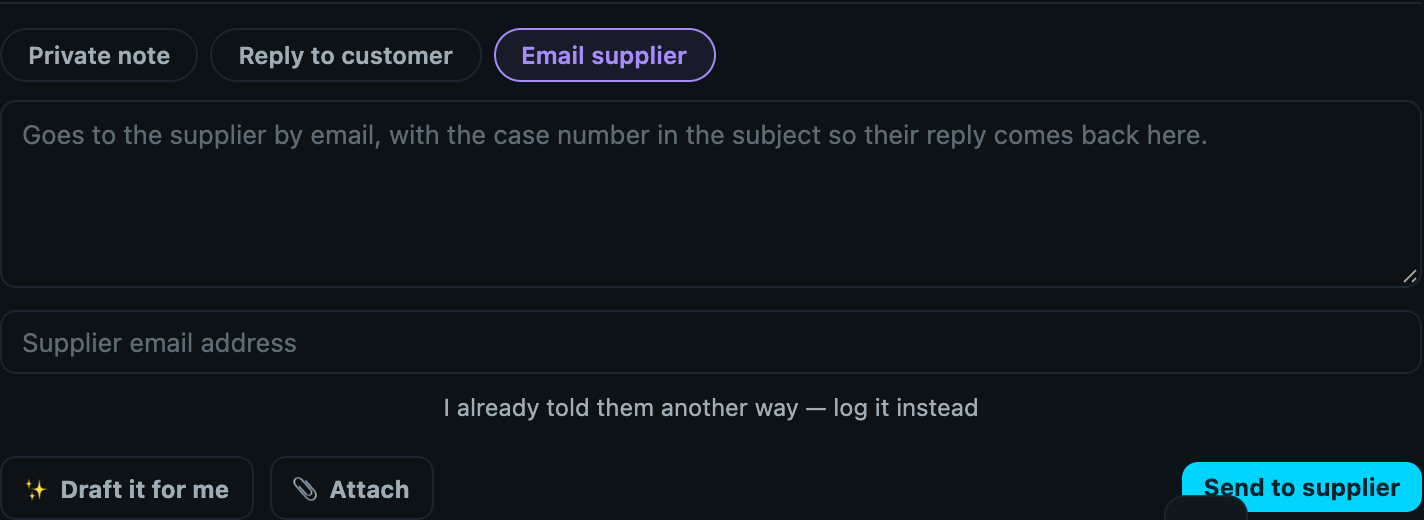
Reply to customerOur claim to the supplier and their reply. Emailed to them, invisible to the customer.
Email supplier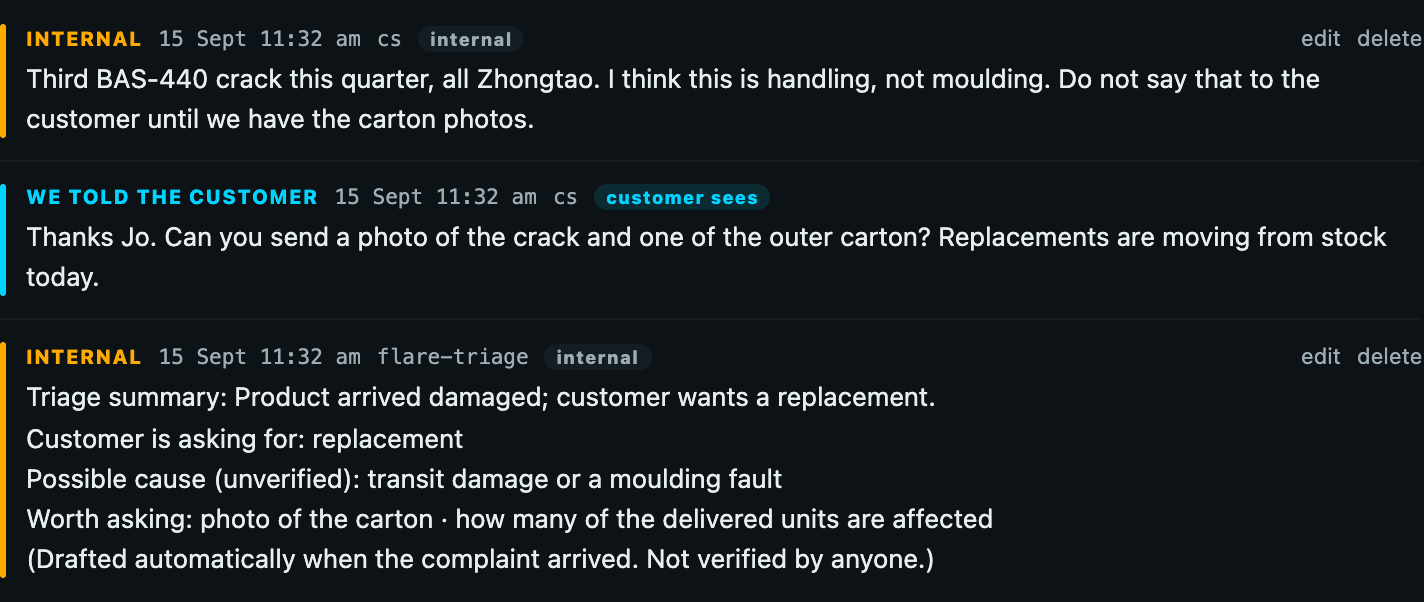
The composer: one box, three buttons, three very different results
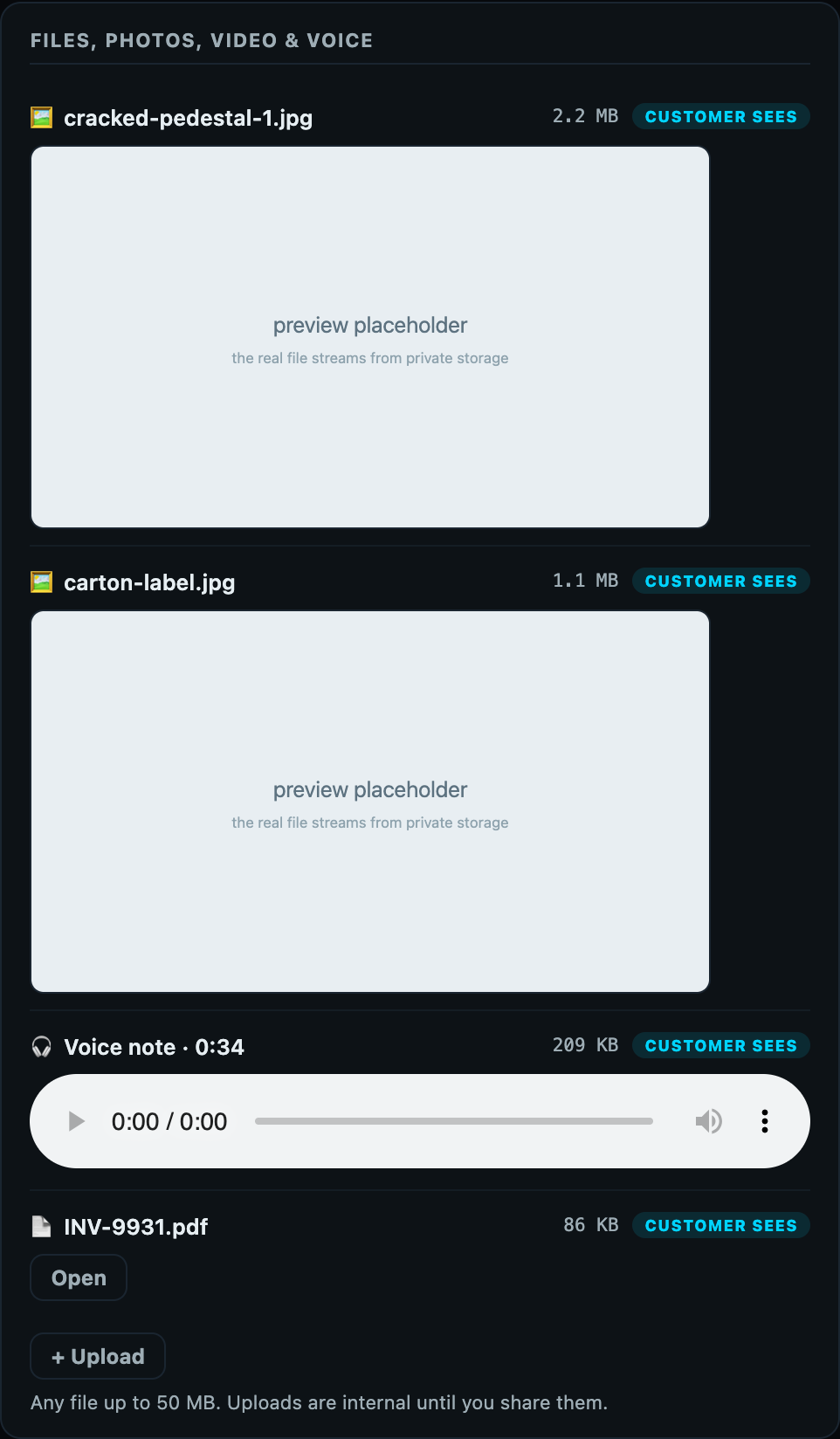
Files, photos, video and voice
Outcome, supplier claim and what we learned
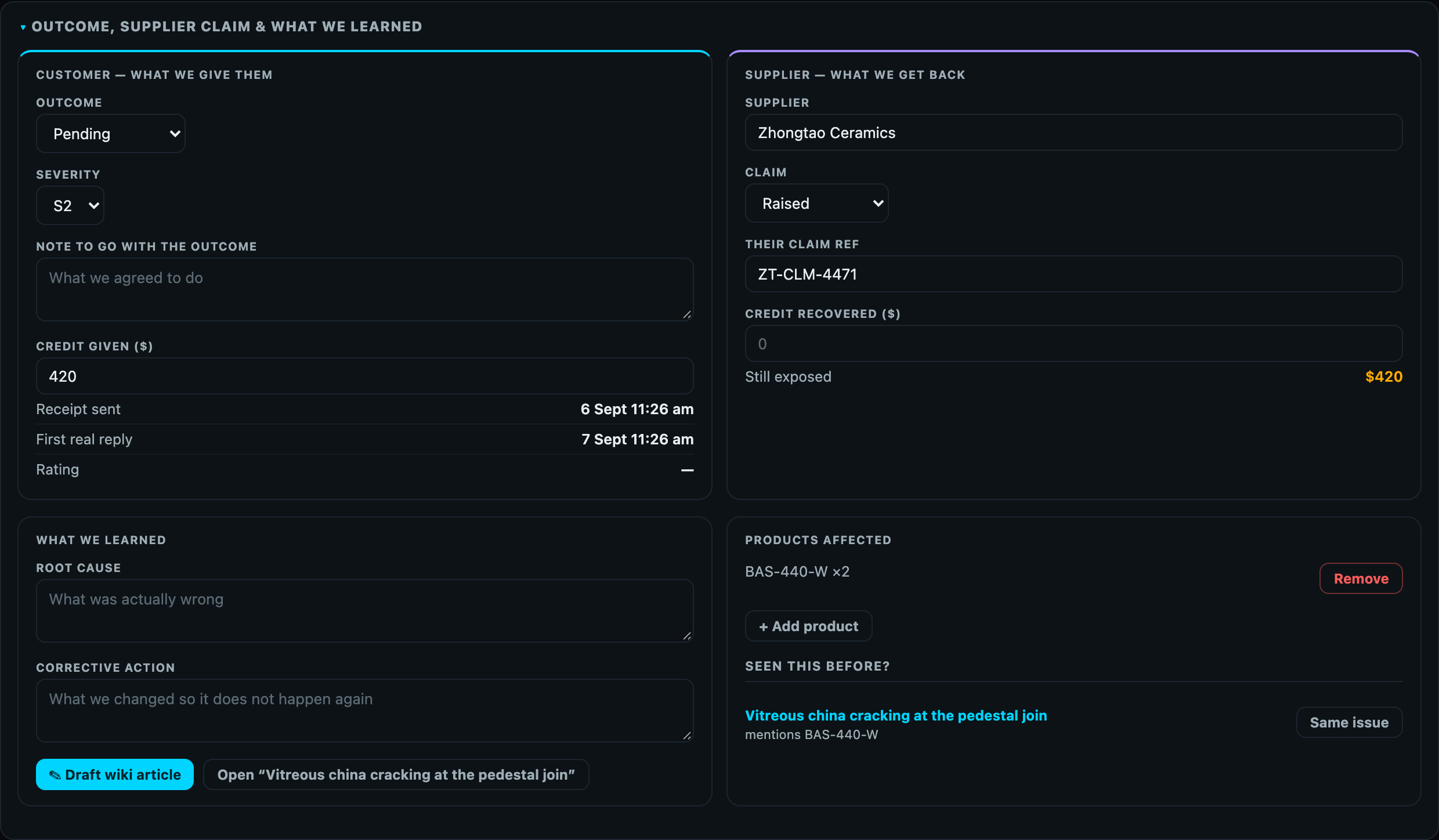
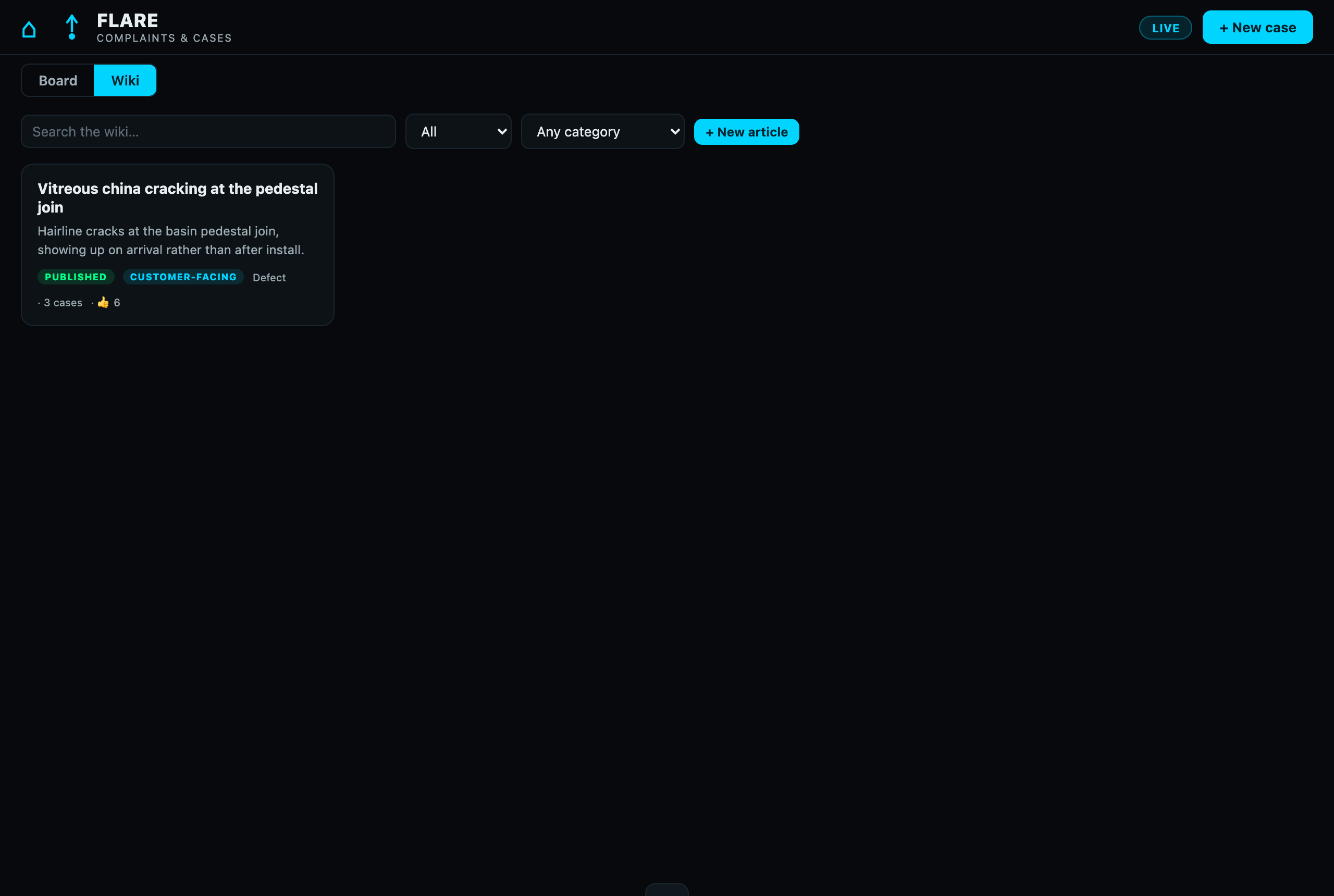
The wiki grows out of closed cases
The wallWhat the customer sees, and what they never do
Enforced on the server on every read of the customer page. A client-side flag is never trusted. If it is not in the left column, the customer cannot get to it.
| The customer sees | Internal only |
|---|---|
| Case number, title and their own description. On a case you raised, that is the What is the problem? line and the Detail box. | Private notes, and the automatic triage note. |
| Status in plain words. Received · Being looked at · Waiting on you · With the supplier · Resolved. | Which supplier, the claim status, the claim reference, and every email to or from the supplier. |
| Every message sent as Reply to customer, and their own replies. | Severity, category, who owns the case, and the response-time clock. |
| Files marked customer sees: their own uploads, and anything the team flipped to shared or attached to a customer reply. | Files marked internal: team uploads and anything attached to a private note or a supplier email. |
| The outcome and its note, once the case is Resolved, plus the rating request. | Credit given, credit recovered, root cause, corrective action, products affected. |
| Published articles marked customer-facing, on the form. | Wiki drafts and internal articles. |
Emails that go to the customer without anyone pressing Send
- AcknowledgementThe moment a case is lodged on the form, or created with email the customer their tracking link ticked. Carries the case number, code and link.
- ResolvedWhen the case moves to Resolved. Names the outcome, invites them to review or reply, and asks for a rating.
- Resend linkOnly when a team member clicks resend them their link on the case, after a confirmation.
Every Reply to customer also emails, after you confirm. Private notes, supplier emails, status changes, file uploads and edits to internal fields send nothing to the customer.
LifecycleStages, and what has to be true before a case can move
The gates are enforced on the server, so dragging a card, using the dropdown and calling the API all obey the same rules. When a gate needs one more fact, the board asks for it instead of refusing.